5 Camera Installation
The following chapter provides general setup instruction and installation tips for security cameras. Ensure that you review
5.2 Ensuring Accurate Person and Vehicle Detection
for channels you are planning to use Person and Vehicle detection on or review
5.3 Optimizing Face Detection Accuracy
for channels you are planning to use Face Detection on.

5.1 Installation Tips
General camera installation tips that apply to all camera models. Please review before selecting a permanent mounting location
for your cameras.
- Test the cameras before permanent installation. Plan where you will route the wiring for the camera and where you will aim the camera.
- Point the camera where there is the least amount of obstructions (e.g., tree branches).
- Mount the camera where the lens is away from direct and intense sunlight.
- Plan your cable wiring so that it does not interfere with power lines or telephone lines.
- Secure cabling so that it is not exposed or easily cut.
- Mount the camera in an area that is visible, but out of reach.
- Avoid pointing the camera at a glass window to see outside. This may result in a bright white ring in the night vision image, as the light from the night vision LEDs may reflect off the glass.
- Adjust the camera angle so that it covers an area with high traffic.
- In "high-risk" locations, have multiple cameras point in the same area. This provides camera redundancy if a vandal attempts to damage one of your cameras.
- For outdoor rated cameras, installation in a sheltered location is recommended to ensure the camera lens remains clear of rainwater and other precipitation.
5.2 Ensuring Accurate Person and Vehicle Detection
The following are important camera installation notes to ensure accurate Person & Vehicle detection. Refer to the documentation
that came with your camera or search for your camera model number at
for full mounting instructions.
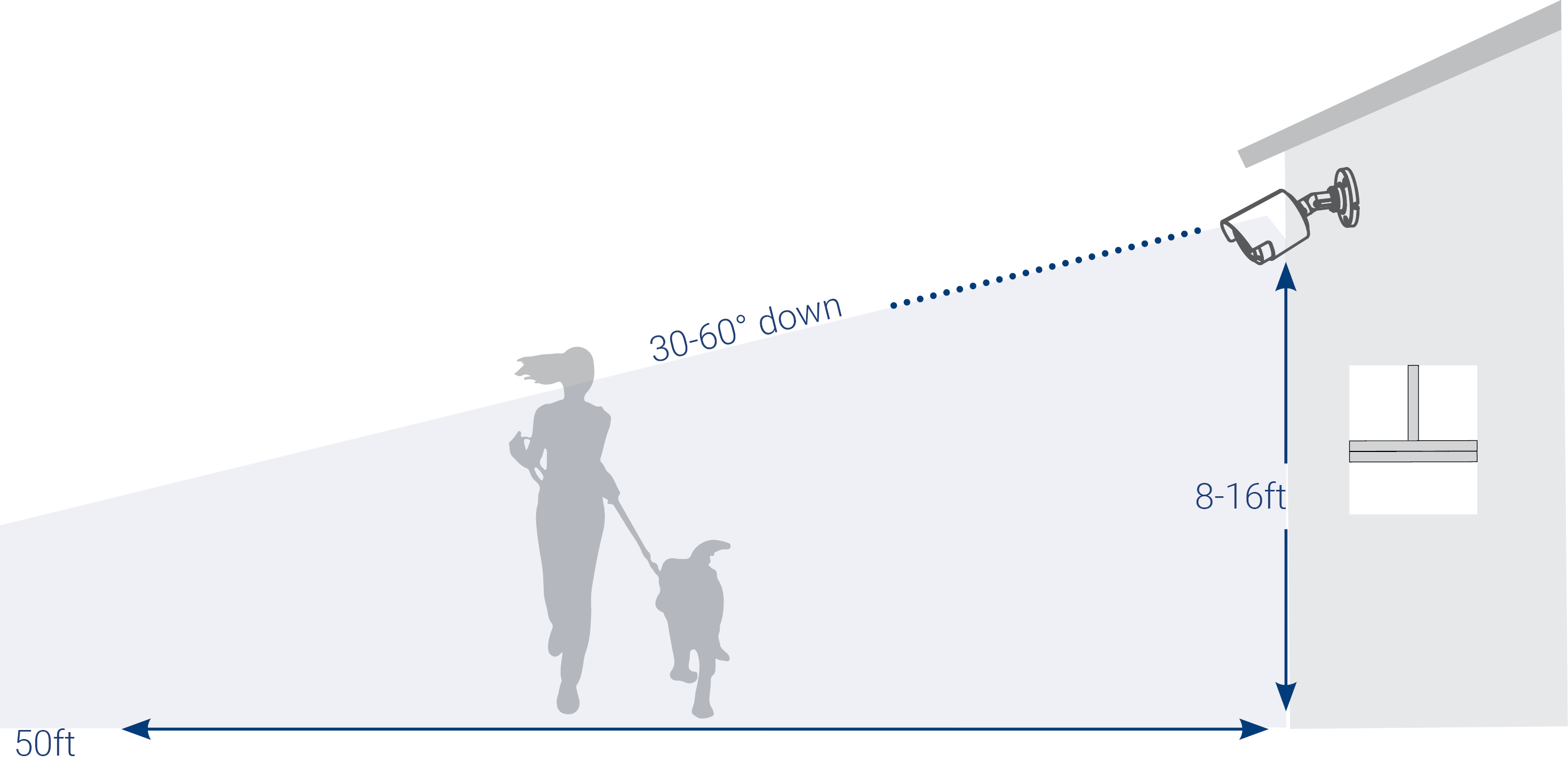
- Choose a location where objects of interest will be no further than 50ft (~15m) from the camera.
- Install the camera between 8-16ft (2.5-5m) off the ground.
- Angle the camera between 30-60° down from the level position.
- Optimal accuracy for objects of interest appear in the bottom ⅔ of the camera image.
-
Point the camera where there is the least amount of obstructions (i.e. tree branches).
![Graphic]()
5.3 Optimizing Face Detection Accuracy
The following are important camera installation notes to ensure accurate Face Detection. For full camera mounting instructions,
see your camera’s documentation at
.
- Install in a bright area and avoid facing direct sunlight with strong backlights and dark shadows.
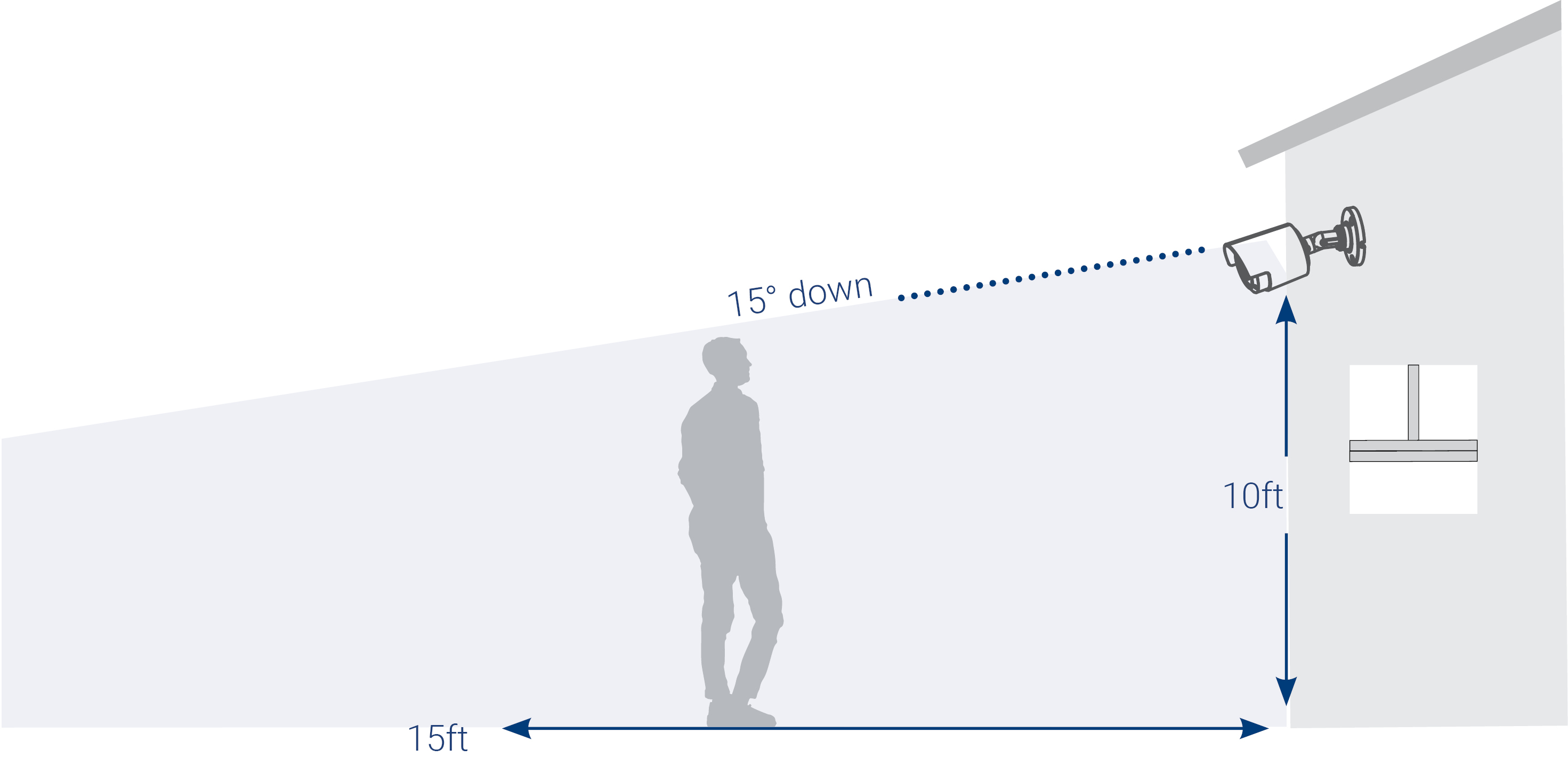
- Choose a location where objects of interest will be no further than 15ft (4.5m) from the camera.
- Position the camera 10ft (3m) off the ground to detect the full proportion of a face.
- Angle the camera around 15° down from the level position.
-
Point the camera directly where objects of interest will be facing.
![Graphic]()
High Accuracy Face Detection Vs. Low Accuracy Face Detection:
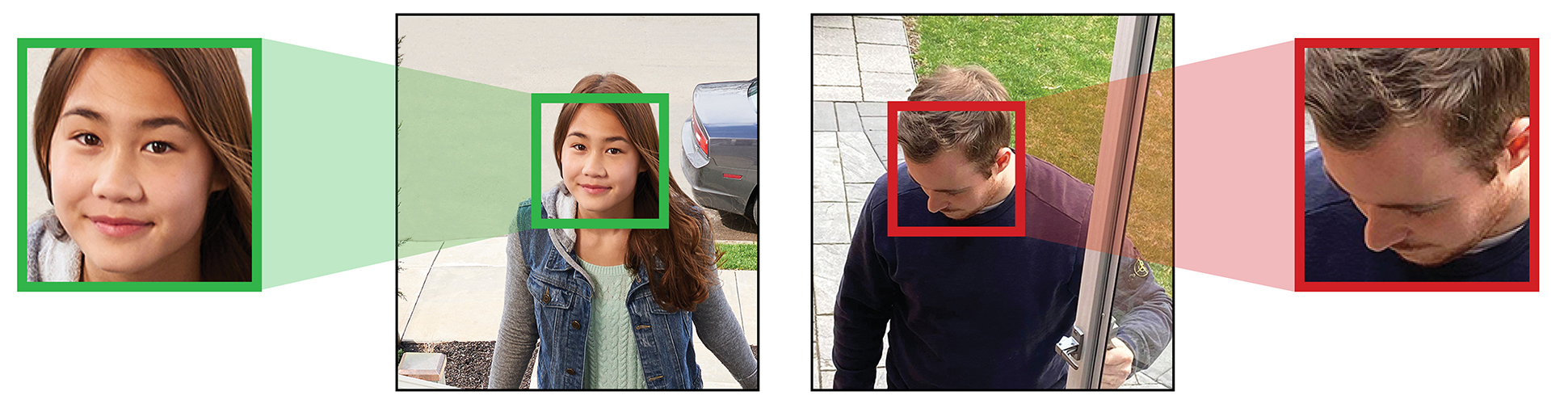
Accuracy will be influenced by lighting conditions and the distance/angle of a person’s face to the camera. To distinguish
facial features, the camera must be positioned head on with a clear view of a person’s face. Obscured and partially/fully
covered faces will not be accurately captured. To improve the range of face detection in low light conditions, color night vision will switch to black & white. If you cannot meet these requirements for installation, it may be best to follow the guidelines for person and vehicle detection
instead.
5.4 Installing Cameras
- Mount the cameras to the desired mounting surface according to the instructions that came with the cameras (visit for the most up-to-date documentation). Choose a firm mounting surface that can support the full weight of the camera.
-
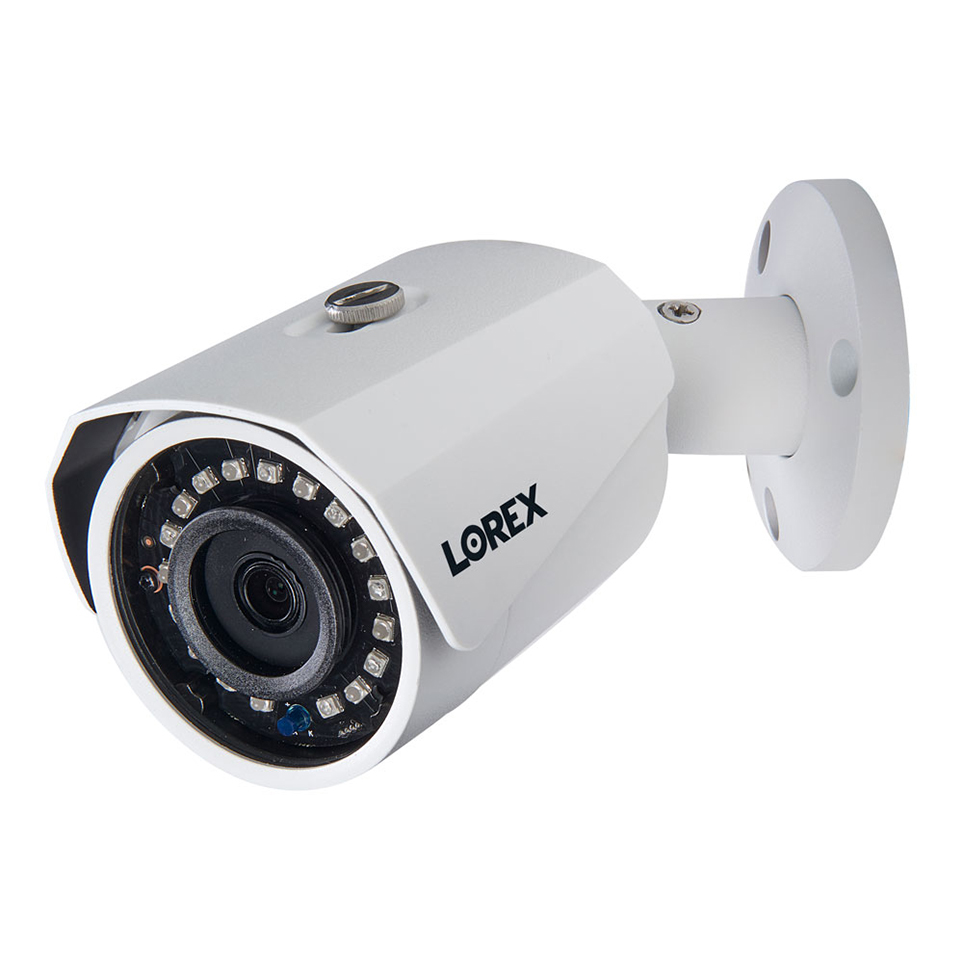
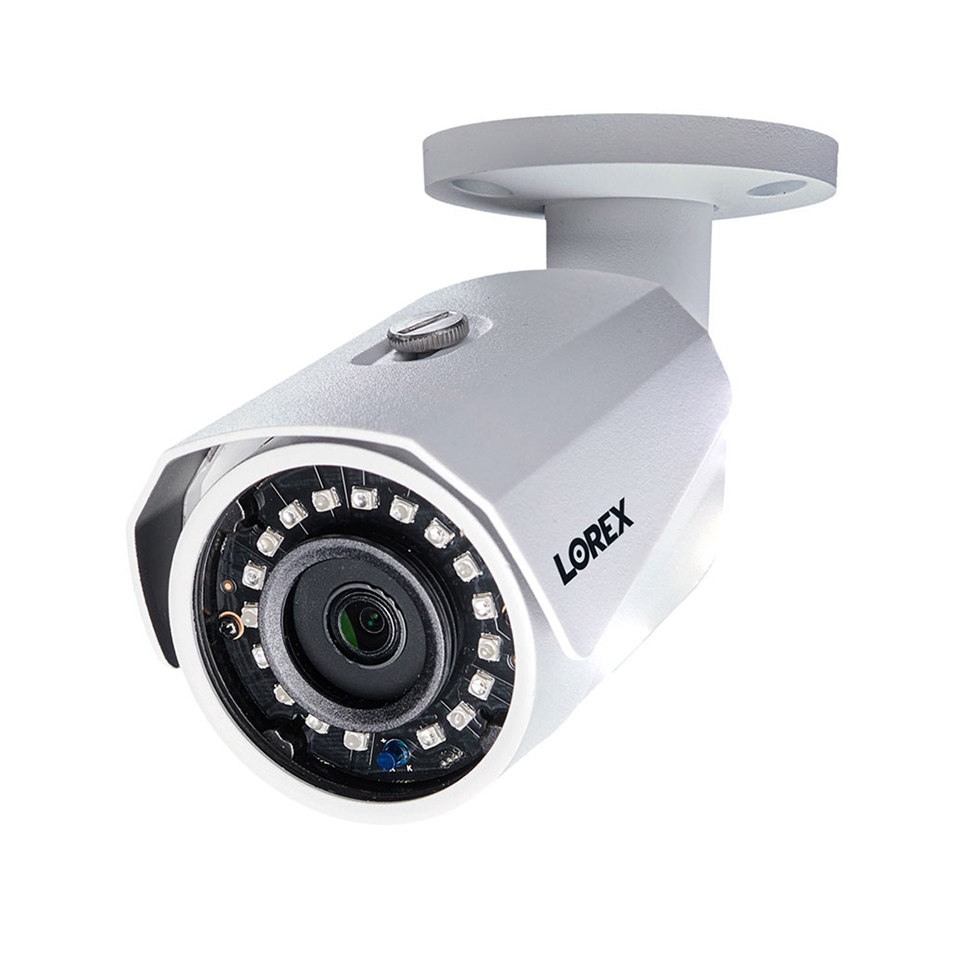
Adjust the camera stand to ensure that the camera has a satisfactory view of the area you would like to monitor. Stand configuration
depends on the mounting surface you have chosen (see below for suggested stand configurations).
![Graphic]()
![Graphic]() Wall MountCeiling Mount
5.5 Connecting Camera Extension Cables
The extension cable must be a single stretch of cable between the recorder and camera. You cannot connect multiple extension
cables to each other. For all extension cable options, including maximum extension cable length, refer to your camera’s documentation
at
.
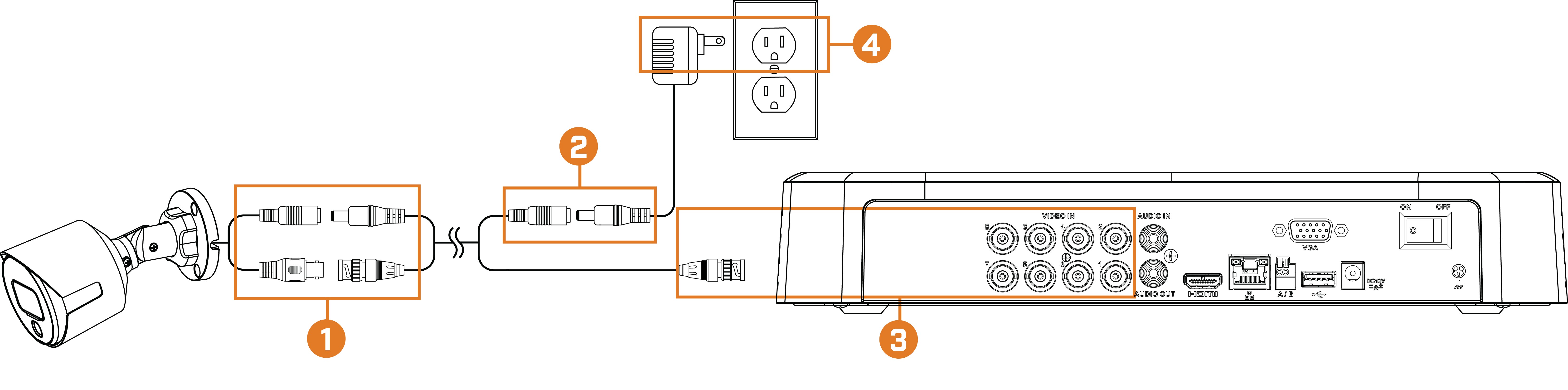
- Connect the male power connector on the BNC extension cable to the female power connector on the camera. Connect the BNC connector to the camera.
- Connect the female power connector on the BNC extension cable to the power adapter.
- Connect the BNC connector to one of the Video Input ports on the rear panel of the recorder.
- Plug the camera power adapter to a power outlet.