10 Playback
You can view and back up recorded video on the NVR. To access playback, right-click during Live View to open the Quick Menu, then click Playback.
10.1 Using Playback
Play back video recordings from a specific date and time.
To use video playback:
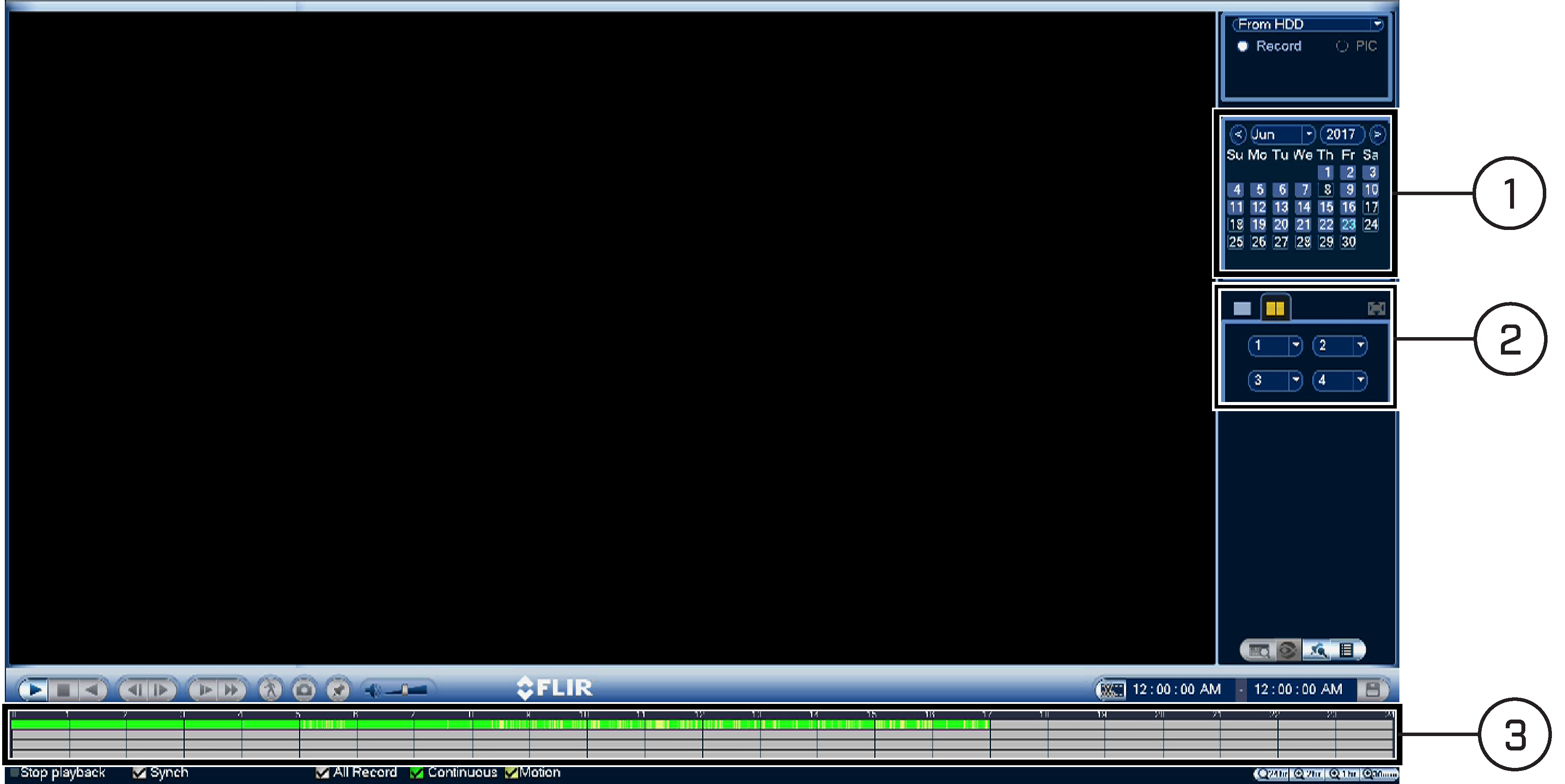
- Use the calendar to select a day for playback.
- Use the drop-down menus to select the channels you would like to playback.
- Click inside the video bar to select the playback time. The system will begin playing back at the selected time.

 ) to playback multiple channels simultaneously.
For a full overview of video playback controls, see
10.2 Video Playback Controls
.
10.2 Video Playback Controls
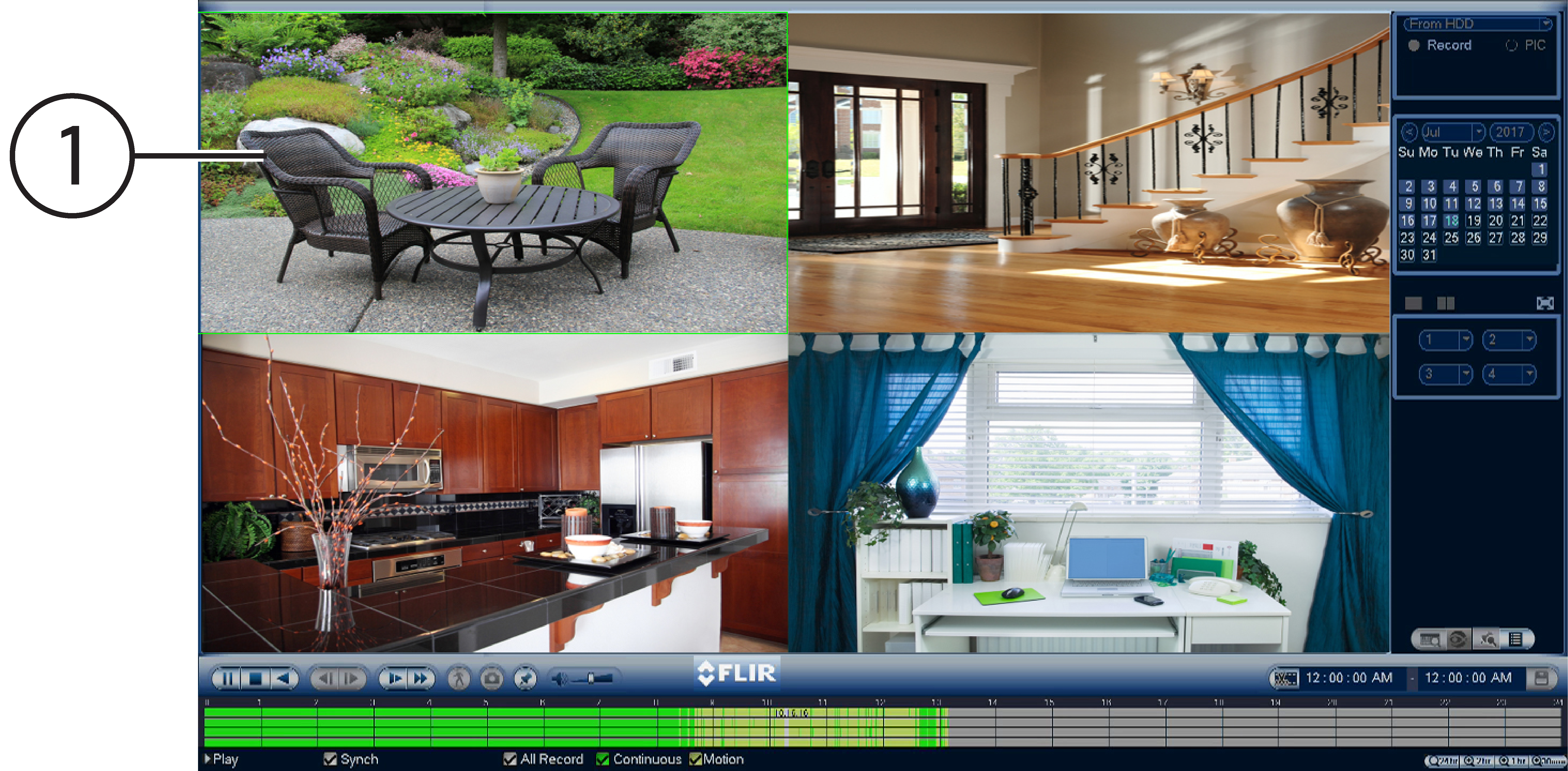
- Video Playback Area: Click any channel to view in full screen.
- Play / Pause
- Stop
- Play Backward
- Previous / Next Frame
- Slow Play: Click to slow playback by half-speed. Click repeatedly to play as slow as 1/4 of normal speed.
- Fast Forward: Click to fast forward. Click repeatedly to play as fast as 1/3 of normal speed.
- Smart Search: Smart Search allows you to review events intelligently, with the ability to clearly see when there was activity in a specific part of the camera image. See 10.4 Using Smart Search for details.
-
Add Book Mark: Click to bookmark a specific part of a playback video to review later. For example, you want to quickly access a particular
playback event to show someone. Click
![icon]() to view a list of bookmarks you created.
to view a list of bookmarks you created.
- Mute / Unmute Audio: Mute / unmute audio (audio-enabled cameras required).
- Volume Bar: Control system audio level (audio-enabled cameras required).
-
Timeline: Continuous recordings are shown with colored bars to represent different types of recording (legend shown in the bottom
of the display). Use the timeframe (
![icon]() ) options in the bottom-right corner to view a smaller or larger time period.
) options in the bottom-right corner to view a smaller or larger time period.
- Channel List: Select channels you would like to search.
- Calendar: Select a date to search for video recordings from.
- Select playback device.
 to view a list of bookmarks you created.
 ) options in the bottom-right corner to view a smaller or larger time period.
10.3 Playing Back from a USB Drive
If you have video files saved to a USB flash drive (not included) or external hard drive (not included), you can play them
using the NVR.
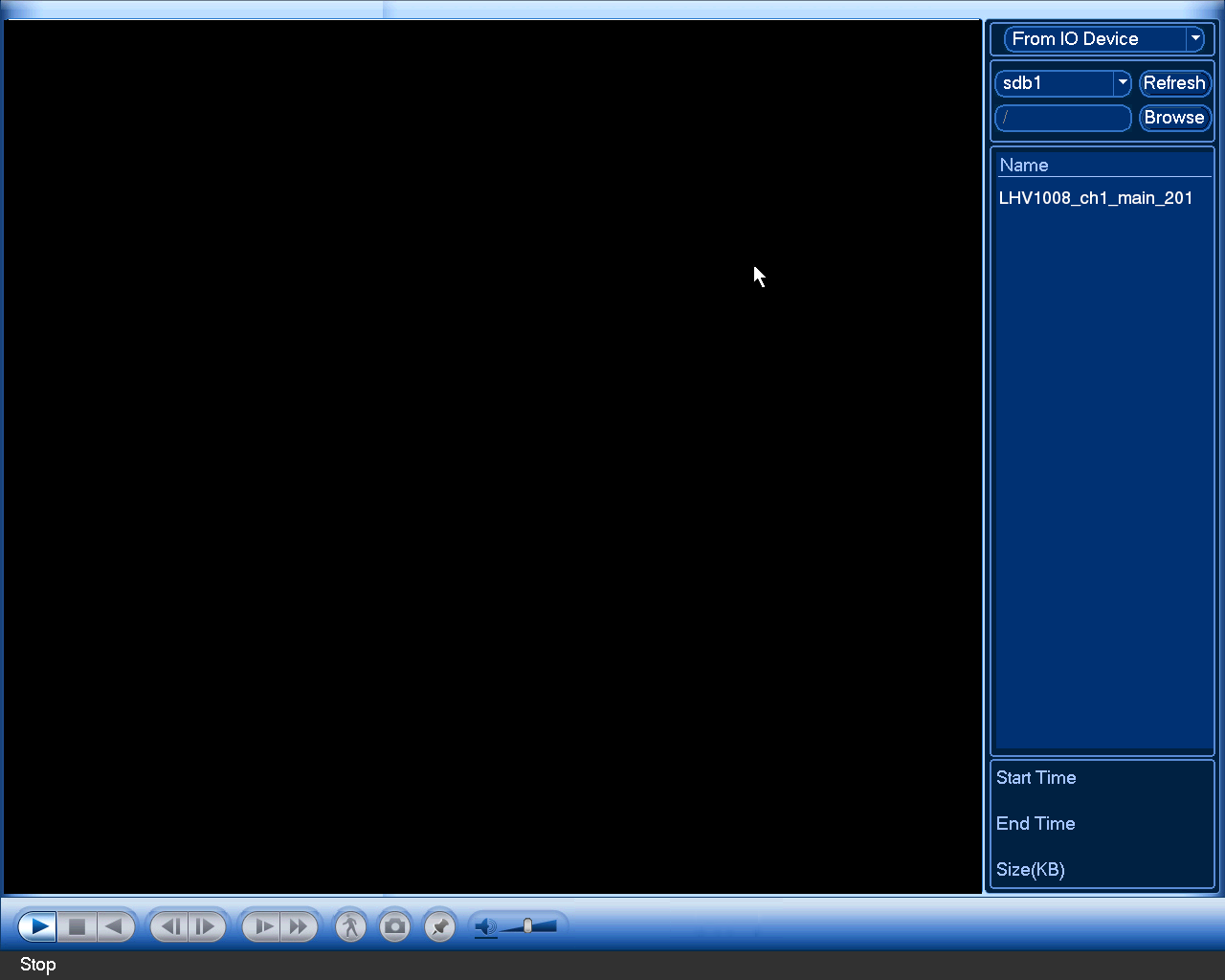
To play back from a USB drive:
- Connect the USB flash drive (not included) or USB external hard drive (not included) with video files on it into a USB port on the NVR.
- From Live View, right-click and click Playback. If prompted, enter the system user name (default: admin ) and your secure password.
-
From the dropdown list located in the top-right corner of the display, select From IO Device . Click Browse to open the USB drive and manually select the video file.
![Graphic]()
- Double click the video file you would like to open.
10.4 Using Smart Search
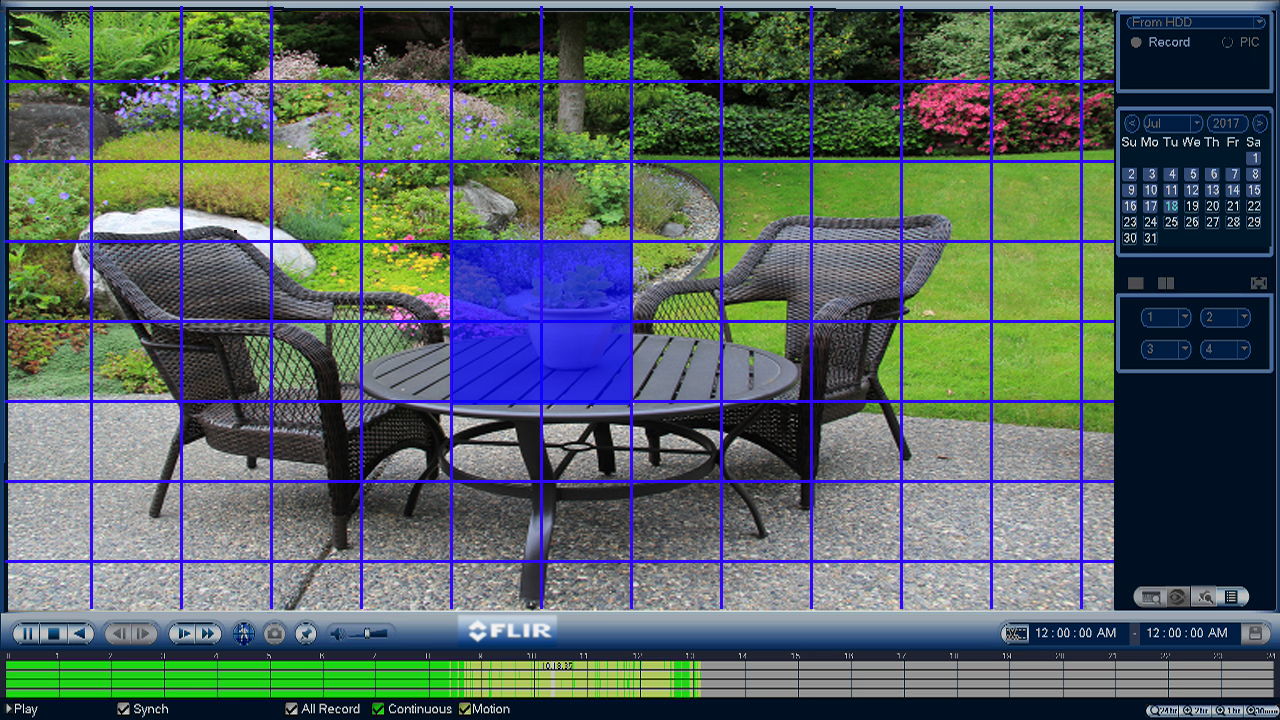
Smart Search allows you to review events intelligently, with the ability to clearly see when there was activity in a specific
part of the camera image. To set up smart search:
-
In multiple-channel playback mode, click a channel you want to apply Smart Search settings for.
![Graphic]()
-
Click the Smart Search icon (
![Graphic]() ).
).
-
Click and drag over areas of the camera image to set an active area for Smart Search.
![Graphic]()
-
Click
![Graphic]() to start the Smart Search playback. To stop the Smart Search playback, click
to start the Smart Search playback. To stop the Smart Search playback, click
![Graphic]() again.
again.