3 Live View
View live video from your Lorex Home compatible security products. Use the remote control included with your Apple TV to navigate
the live viewing controls.
- Select a channel or camera from the home screen to begin live view of the selected device.
To access live view:
3.1 Live Viewing Overview
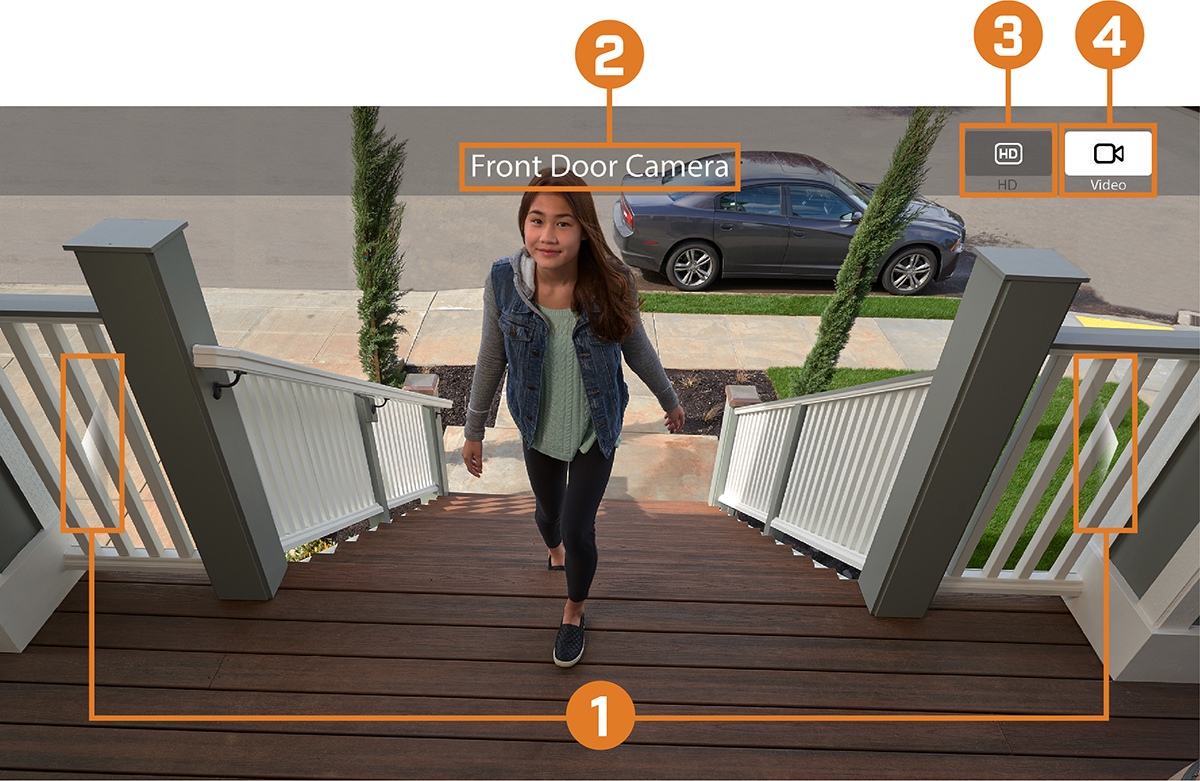
- Previous / Next Camera: Select one of the two directional arrows on the live image to switch to the previous / next connected camera.
- Channel / Device Name
- HD / SD: Switch the video quality between high definition (HD) and standard definition (SD).
- Video: Search for and play back recorded video from the current channel. For details on video playback, see 4 Playback .